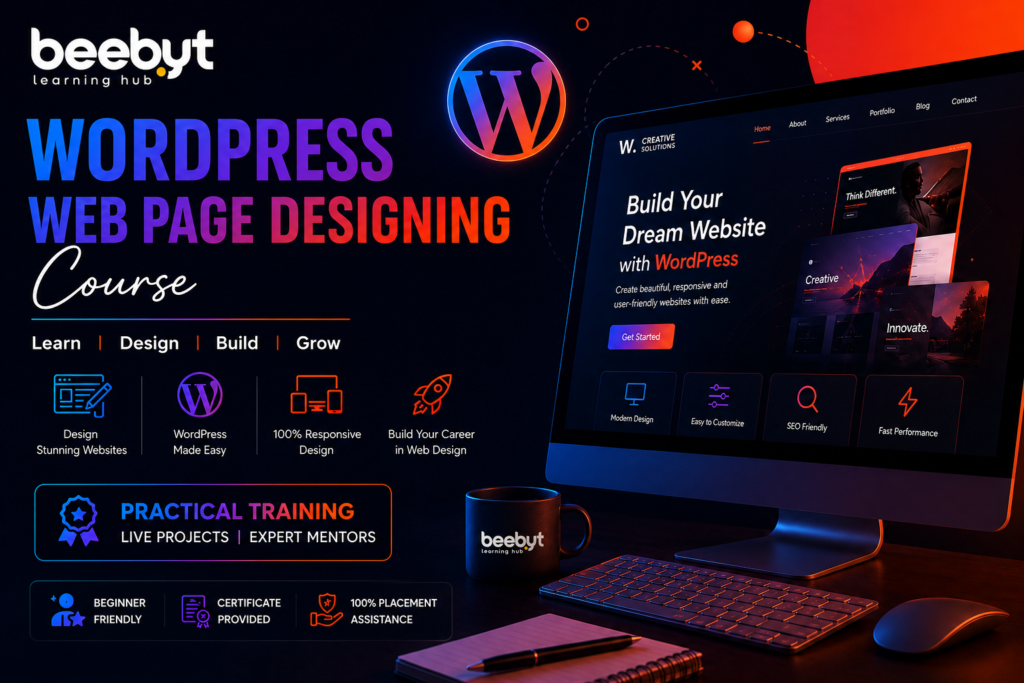
WordPress Web Page Designing Course – Build Professional Websites with Beebyt Learning Hub
Creating websites has never been easier than it is today, thanks to WordPress. Whether you’re a student, freelancer, entrepreneur, or job seeker, learning WordPress can help you build beautiful, responsive, and SEO-friendly websites without needing advanced coding skills.
If you’re searching for the best WordPress Web Page Designing Course, Beebyt Learning Hub offers industry-oriented training designed to prepare you for real-world web design careers.
With live projects, internships, expert mentors, and 100% placement assistance, you’ll gain the practical skills needed to become a professional WordPress web designer.
Why Learn WordPress?
Creating websites has never been easier than it is today, thanks to WordPress. Whether you’re a student, freelancer, entrepreneur, or job seeker, learning WordPress can help you build beautiful, responsive, and SEO-friendly websites without needing advanced coding skills.
If you’re searching for the best WordPress Web Page Designing Course, Beebyt Learning Hub offers industry-oriented training designed to prepare you for real-world web design careers.
With live projects, internships, expert mentors, and 100% placement assistance, you’ll gain the practical skills needed to become a professional WordPress web designer.
Benefits of Learning WordPress
- No advanced coding required
- High demand in the job market
- Start freelancing immediately
- Build websites for clients
- Create your own business website
- Easy to maintain
- SEO-friendly platform
- Supports thousands of plugins
- Mobile responsive
- Fast website development
Learning WordPress opens countless career opportunities.
Why Choose Beebyt Learning Hub?
What Makes Us Different?
Industry Experts
Live Projects
Internship Opportunity
Offline & Online Classes
Portfolio Building
Portfolio Building
Module 1: Introduction to WordPress
- What is WordPress?
- WordPress.org vs WordPress.com
- Domain & Hosting
- Installing WordPress
- Dashboard Overview
Module 2: Website Planning
Learn how to plan websites before building them.
Topics include:
- Website structure
- User experience (UX)
- Sitemap
- Navigation
- Wireframes
Module 3: Theme Installation & Customization
You’ll learn how to customize professional themes.
Topics include:
- Free themes
- Premium themes
- Theme customization
- Header & Footer editing
- Typography
- Colors
- Layout settings
Module 4: Elementor Page Builder
Master one of the most popular page builders.
You’ll learn:
- Drag-and-drop design
- Landing pages
- Home page design
- About page
- Contact page
- Services page
- Portfolio page
Module 5: Responsive Website Design
Every website should look perfect on:
Learn responsive design techniques using Elementor.
Module 6: Essential Plugins
| Plugin | Purpose |
|---|
| Elementor | Page Builder |
| Yoast SEO | SEO Optimization |
| Rank Math | SEO |
| WPForms | Contact Forms |
| LiteSpeed Cache | Speed Optimization |
| WooCommerce | Online Store |
| UpdraftPlus | Backup |
| Wordfence | Security |
Module 7: Website Speed Optimization
Learn to improve:
- Loading speed
- Core Web Vitals
- Image optimization
- Cache setup
- CDN basics
Fast websites rank better on Google.
Module 8: WordPress SEO
SEO is essential for every website.
You’ll learn:
- SEO-friendly URLs
- Meta Titles
- Meta Descriptions
- XML Sitemap
- Schema
- Internal Linking
- Image SEO
- Keyword Optimization
Module 9: Website Security
Protect websites using:
- Firewall
- SSL
- Login protection
- Malware scanning
- Backup strategies
Module 10: Website Launch
Finally, you’ll learn:
- Website testing
- Domain connection
- Hosting setup
- SSL installation
- Google Search Console
- Google Analytics
Skills You'll Gain
After completing this course, you’ll be able to:
- Design professional websites
- Build responsive websites
- Create business websites
- Build portfolio websites
- Design blogs
- Create eCommerce websites
- Optimize websites for SEO
- Improve website speed
- Maintain WordPress websites
- Handle client projects confidently
Who Can Join This Course?
This course is ideal for:
- Students
- Fresh graduates
- Freelancers
- Entrepreneurs
- Small business owners
- Graphic designers
- Digital marketers
- Bloggers
- Job seekers
- Anyone interested in website design
No coding experience is required.
Career Opportunities After Learning WordPress
WordPress skills are highly valued across industries.
Career options include:
- WordPress Web Designer
- Website Developer
- Web Administrator
- Digital Marketing Executive
- SEO Executive
- UI Designer
- Freelance Website Designer
- Website Maintenance Specialist
- Business Website Consultant
Freelancing Opportunities
Many businesses need websites.
You can offer services like:
- Business websites
- Portfolio websites
- School websites
- Hospital websites
- Hotel websites
- Restaurant websites
- Ecommerce stores
- Landing pages
Popular freelance platforms include:
- Upwork
- Fiverr
- Freelancer
- PeoplePerHour
Why Businesses Prefer WordPress
Businesses choose WordPress because it offers:
- Affordable website development
- Easy management
- SEO-friendly structure
- Mobile responsiveness
- Thousands of plugins
- Professional appearance
- Scalability
- Security
Course Highlights
✅ Beginner Friendly
✅ Live Projects
✅ Internship Opportunity
✅ 100% Placement Assistance
✅ Experienced Trainers
✅ Offline & Online Classes
✅ Practical Assignments
✅ Portfolio Development
✅ SEO Training
✅ Responsive Website Design
Tools You'll Learn
- WordPress CMS
- Elementor
- Yoast SEO
- Rank Math
- WooCommerce
- WPForms
- LiteSpeed Cache
- Canva
- Google Fonts
- Google Analytics
- Google Search Console
Why SEO Matters for WordPress Websites
A beautiful website isn’t enough—it also needs to rank on search engines.
Our course teaches you to:
- Research keywords
- Optimize content
- Improve page speed
- Build internal links
- Optimize images
- Use schema markup
- Create SEO-friendly URLs
- Improve user experience
These skills help websites achieve better rankings on Google.
Why SEO Matters for WordPress Websites
| Feature | Beebyt Learning Hub |
|---|
| Live Projects | ✅ |
| Internship | ✅ |
| Placement Assistance | ✅ |
| Practical Training | ✅ |
| Expert Trainers | ✅ |
| Portfolio Development | ✅ |
| SEO Training | ✅ |
| Responsive Design | ✅ |
| Online & Offline Classes | ✅ |
Student Success Journey
At Beebyt Learning Hub, learning follows a structured path:
- Learn WordPress basics
- Design practice websites
- Build real client projects
- Complete internship
- Develop a professional portfolio
- Attend mock interviews
- Receive placement assistance
- Start your career
Internal Linking Suggestions
Use these links within your website:
- Digital Marketing Course
- Graphic Design Course
- Video Editing Course
- UI/UX Design Course
- SEO Training Course
- Contact Us
- About Beebyt Learning Hub
- Student Placement Page
Frequently Asked Questions (FAQs)
Final Thoughts
If you’re looking for a practical, career-focused WordPress Web Page Designing Course, Beebyt Learning Hub is an excellent choice. With expert mentorship, real-world projects, internship opportunities, and placement assistance, you’ll gain the confidence and skills to build professional websites and pursue exciting career opportunities in web design.
Whether your goal is to secure a job, start freelancing, or create websites for your own business, this course provides a strong foundation to help you succeed.
Yoast & Rank Math SEO Checklist
| SEO Factor | Status |
|---|
| Focus Keyword in SEO Title | ✅ |
| Focus Keyword in URL | ✅ |
| Focus Keyword in First Paragraph | ✅ |
| Focus Keyword in H1 | ✅ |
| Focus Keyword in H2 | ✅ |
| Focus Keyword Density (~1–1.5%) | ✅ |
| Meta Title Included | ✅ |
| Meta Description Included | ✅ |
| Slug Included | ✅ |
| Table Included | ✅ |
| Bullet Lists | ✅ |
| FAQs Added | ✅ |
| Internal Link Suggestions | ✅ |
| External Reference Opportunity | ✅ |
| Image Alt Text Suggestion | ✅ |
| Readability Optimized | ✅ |
| Rank Math Friendly | ✅ |
| Yoast Friendly | ✅ |